


Simplify room booking, eliminate conflicts, and coordinate services with a platform built for efficient, modern meetings.


Avoid double-bookings and last-minute scrambles with real-time scheduling clarity.

Auto-schedule AV, catering, and setup with every meeting—no manual coordination needed.

Track how and when rooms are used to reduce waste and adjust for actual demand.
See how Maptician simplifies the conference room experience from start to finish.

Understand how rooms are really being used—by team, time, and location—to reduce waste and improve collaboration.
Prevent double-bookings and reduce unused space by giving employees the ability to view room availability in real time. Automated calendar sync ensures every reservation is accurate, improving collaboration and eliminating interruptions.

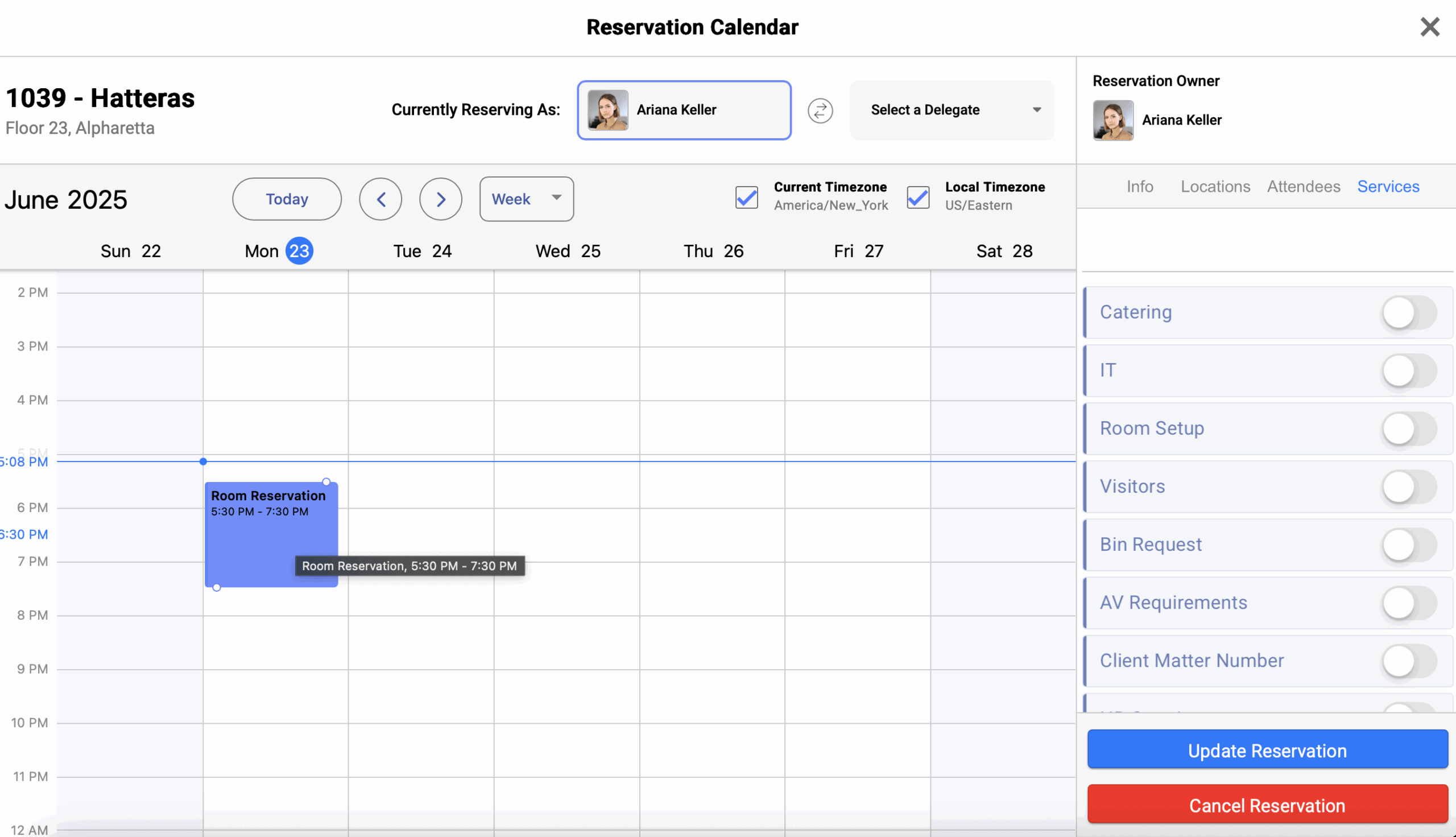
Streamline the scheduling process by adding AV needs, catering, and room setup tasks directly into each booking. Teams arrive prepared, support staff stay aligned, and meetings run smoothly from start to finish.
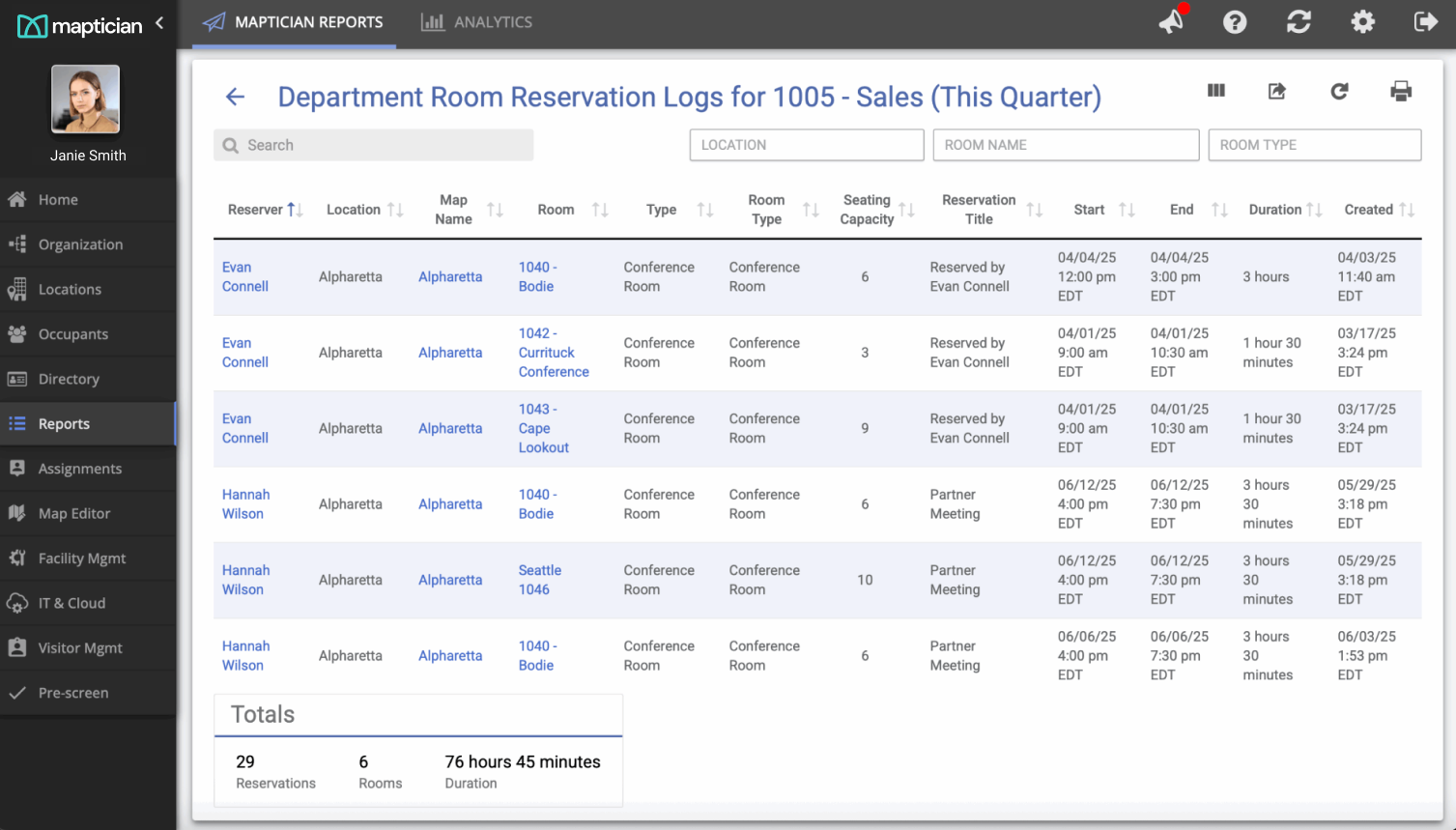
Track room utilization, usage frequency, meeting type, and department demand to optimize space allocation. You can confidently adjust policies, refresh layouts, and invest strategically in the rooms your teams rely on most.
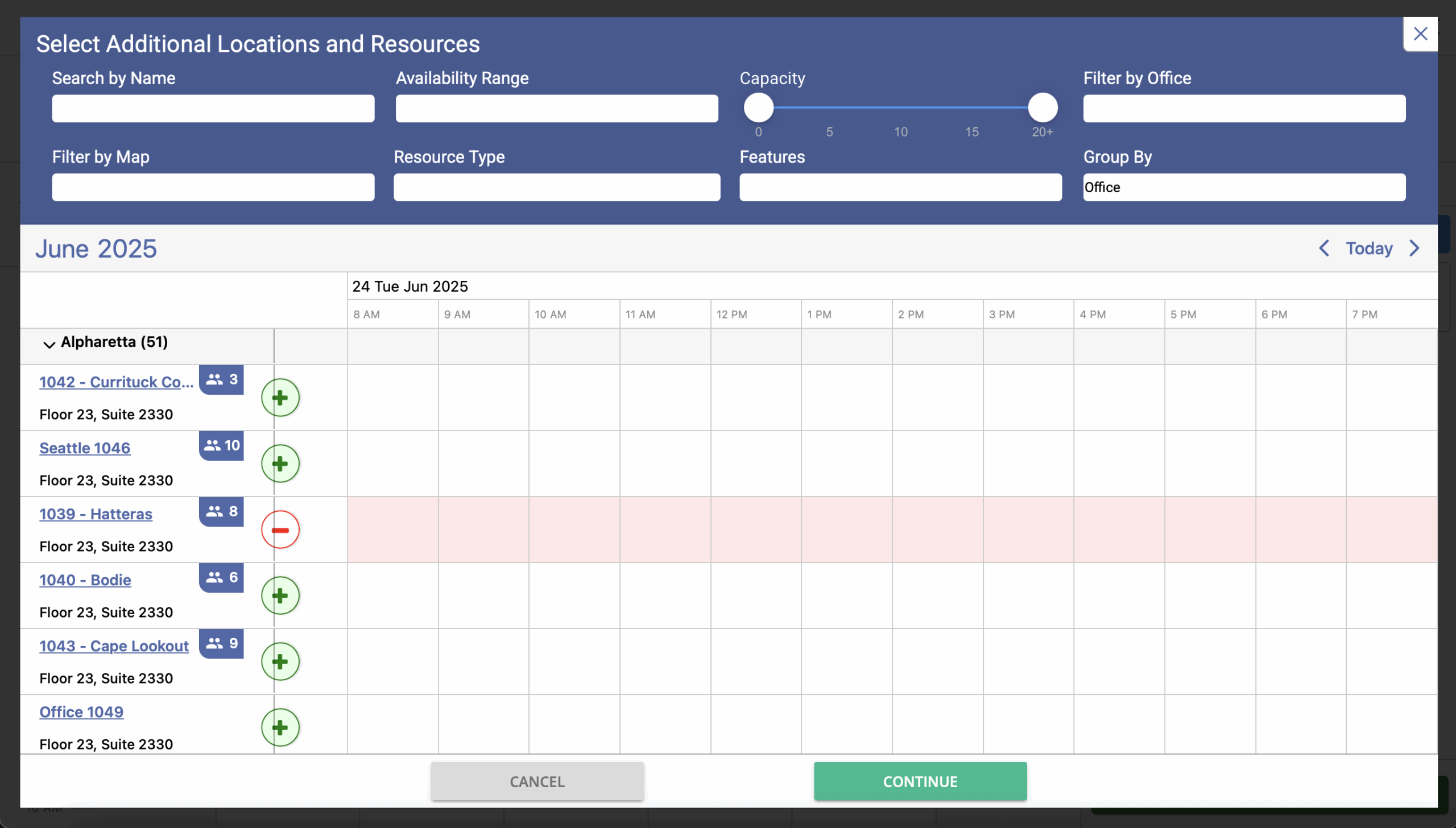
Support hybrid teams and distributed workplaces with online booking that works across every office, floor, and neighborhood. A centralized system helps employees find the right room in the right place at the right time, no matter where they are working.

Connect to Outlook or Google Calendar to enable seamless room booking with live availability.
Attach catering, A/V, and room setup requests directly to scheduled meetings in one click.
Set capacity and usage limits by room to comply with policies or preferences.
Export room usage trends by team, time, or location to optimize availability and policies.
Book or cancel conference rooms on the go with Maptician’s integrated mobile app.
Track usage across all offices or regions for centralized reporting and planning.
How It Works
Get up and running fast with calendar integration, room setup tools, and a seamless booking experience for your entire organization.
Connect Outlook or Google to enable real-time room scheduling from tools your teams already use.
Assign capacity, location, services, and availability settings for each conference room.
Let teams reserve rooms with confidence and receive automated notifications and support services.
Featured Case Study
Empowering hybrid workflows with real‑time workplace insights.

Maptician streamlines room scheduling with the tools and visibility teams need to meet smarter, faster, and easier.
Here are some common FAQs about conference room scheduling software.
Maptician integrates seamlessly with tools you already use, including Microsoft Outlook, Microsoft 365, Microsoft Teams, and Google Calendar. Our meeting room scheduling software is backed by an open API and enterprise-grade infrastructure, making it easy to connect with your IT systems, identity providers like Okta and Azure AD, and visitor management platforms. This ensures minimal disruption while enhancing the way you manage office space and easily book meeting rooms.
Yes. Maptician offers robust permission controls that let you define who can book rooms, modify, or cancel meetings based on role, department, or location. Admins can enforce booking policies and approval workflows, ensuring that your conference room booking system is both secure and efficient. This level of control supports better space planning and reduces scheduling conflicts.
Absolutely. Maptician’s meeting room booking software makes scheduling meetings simple and flexible. Users can create recurring bookings and adjust or cancel them in real time. Updates are automatically synced across calendars, and attendees are notified promptly. With features like real time room availability, your team always knows which available meeting rooms can be used – even at the last minute.
Maptician’s conference room booking system provides powerful analytics to track room usage and understand space usage trends across your offices. These insights help organizations make smarter decisions about office space utilization, eliminate bottlenecks, and better align rooms with real demand. As a comprehensive meeting room booking system, it’s designed to support both day-to-day operations and long-term real estate planning.
Yes. Maptician provides live room status visibility so you always know which spaces are open, reserved, or in use. This prevents confusion at the door, speeds up meeting transitions, and ensures teams can quickly find the right workspace without disruption.
Maptician goes further than a typical booking tool by helping you manage office resources like AV equipment, catering, security access, and visitor support. Paired with visitor management systems and interactive floor plans, you can coordinate people, technology, and space with ease. It can even share data back into your enterprise resource planning systems to streamline workplace operations at scale.


